Other On‐Page Optimization There are many other areas of on‐page content that can be optimized. The key here is that you are not simply stuffing keywords into the content anywhere you can. Rather, you are creating a highly contextual development of content.
Content You should also be using alternative versions of words such as synonyms, phrases, and contextualized descriptions. As an example, if you were creating a page about the sport of Cricket, you would employ many of the terms used in the sport, such as bowl, inning, wicket, batting, bowling, batsman, boundary, century, dismissal, fielder, and googly, to name a few. In creating this article, you wouldn’t simply repeat the word cricket over and over. Instead, you would make it easy to read and understand by employing synonyms and descriptions that flow naturally for the reader.
This is the purpose of the context and using a full vocabulary of descriptions. Your keyword research should provide many of the additional concepts and related terms, and here is where you employ this variety to provide the most comprehensive and descriptive content.
Journalists often write in the inverse pyramid format, meaning that the pyramid is flipped and larger at the top. This style focuses the most important information at the top of the page or article, and the least important details toward the bottom of the page. It helps readers gain the important information quickly, but also provides the necessary details to those who reach the end of the article.
Alt Attributes The images used in your pages need to be optimized not just for search engines, but for accessibility. Many visitors to your page may not see the images. Some people browse with images off, some use screen readers to access content, and others may only have low bandwidth connections that are unable to load high‐resolution images. In these cases, the images may not appear on the page. For cases like these, two important attributes are used in the image code.
First is the alt attribute, which is the description of the image, such as what it contains or displays. Search engines rely on the alt attribute element to understand the content of the pages. The second image attribute is the title attribute, which is used as is the formal caption or title of the image.
File Names Next, consider the filenames of all elements on the page—the page filename, images, videos, documents, PDFs, and other elements. For example, an image filename will carry a code; depending on the source, such as a stock photo or one taken with a camera, it may look like DSC1113338.jpg. A few seconds of optimization changes the image filename to explain the image using a keyword within a descriptive phrase.
Consider this when adding pages or blog posts to your website, as the page name will appear in the URL. When searchers see the keyword in the URL, it adds to their evaluation of relevance and can increase your click‐through rate.
Microformats or Schema Schema is an accepted data format that is understood and handled universally across search engines, browsers, devices, and operating systems. For example, an address schema (see Figure 4.10) is understood as an address in the search engine, the browser, apps, and operating systems. This enables users to see an address on a website while using their mobiles and be able to click the address, have it open in maps, and get directions.
The coordination among different systems universally recognizes the format, function, and content of the markup. Google suggests the use of schema as much as possible to make it easy for crawlers and systems to easily identify, classify, and republish this information. Author pages and articles can benefit greatly from very simple HTML markup and schema techniques. These properties can be used for contacts, reviews, events, authors, locations, articles, and many other common features of websites. References for types of data and their formats can be found at Schema.org.
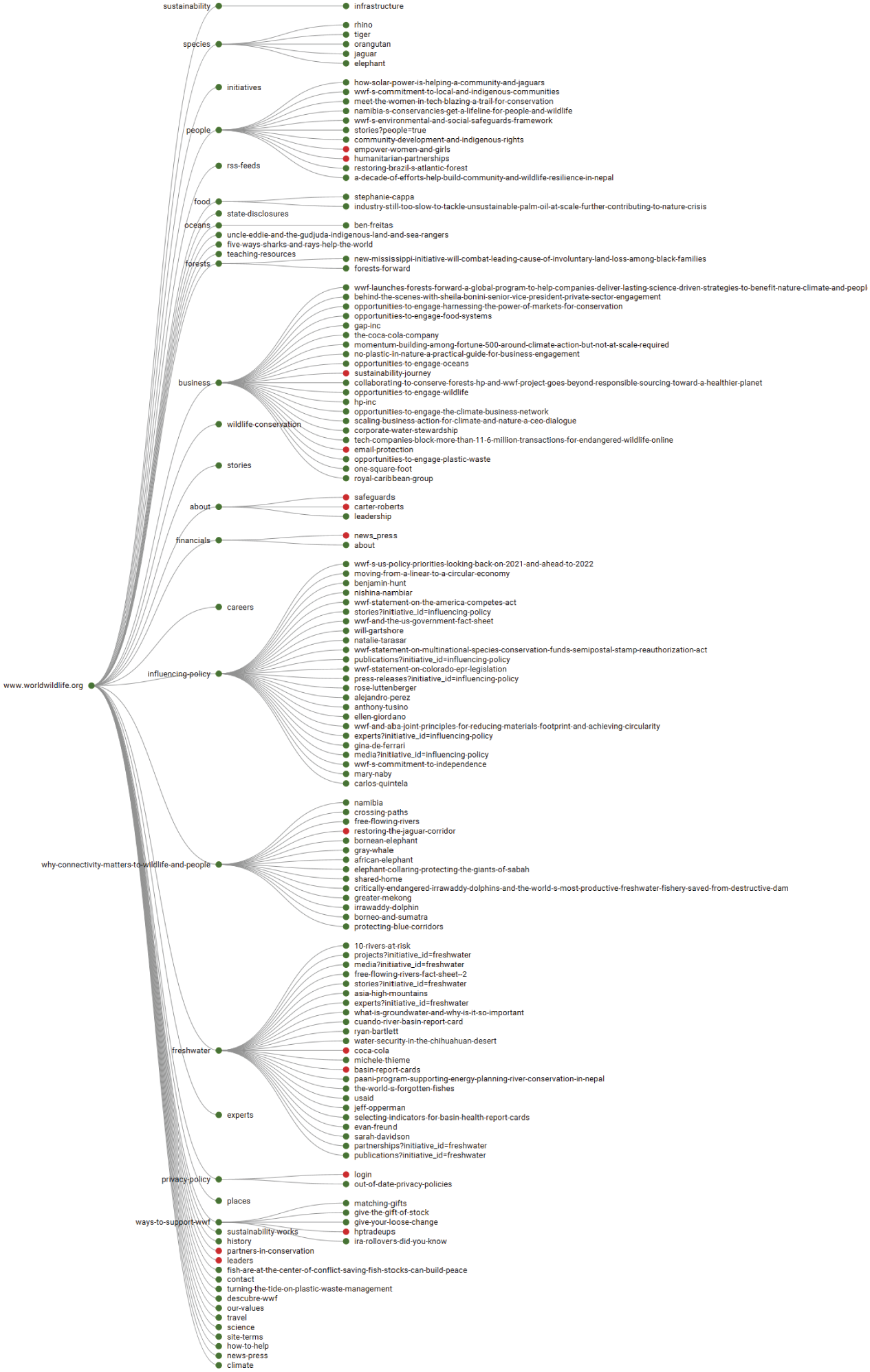
Interlinking Pages While visitors may be at your page to seek information or answers, you can further assist them by providing them links to related articles, videos, or content that might be important. Using links in the content or as an additional sidebar providing contextually related information can help visitors dig deeper into your content. They also develop strong interlinking structures on your website to enhance the contextual structure and broaden keyword relevance.
Linking to other websites enhances your credibility. Creating an original article based on research, quoting authoritative articles or research, and linking to your sources can boost your own site’s relevance. This is called content curation. By developing content that builds or centralizes relevant information and providing a link to those sources, it can increase your own authority on a topic.
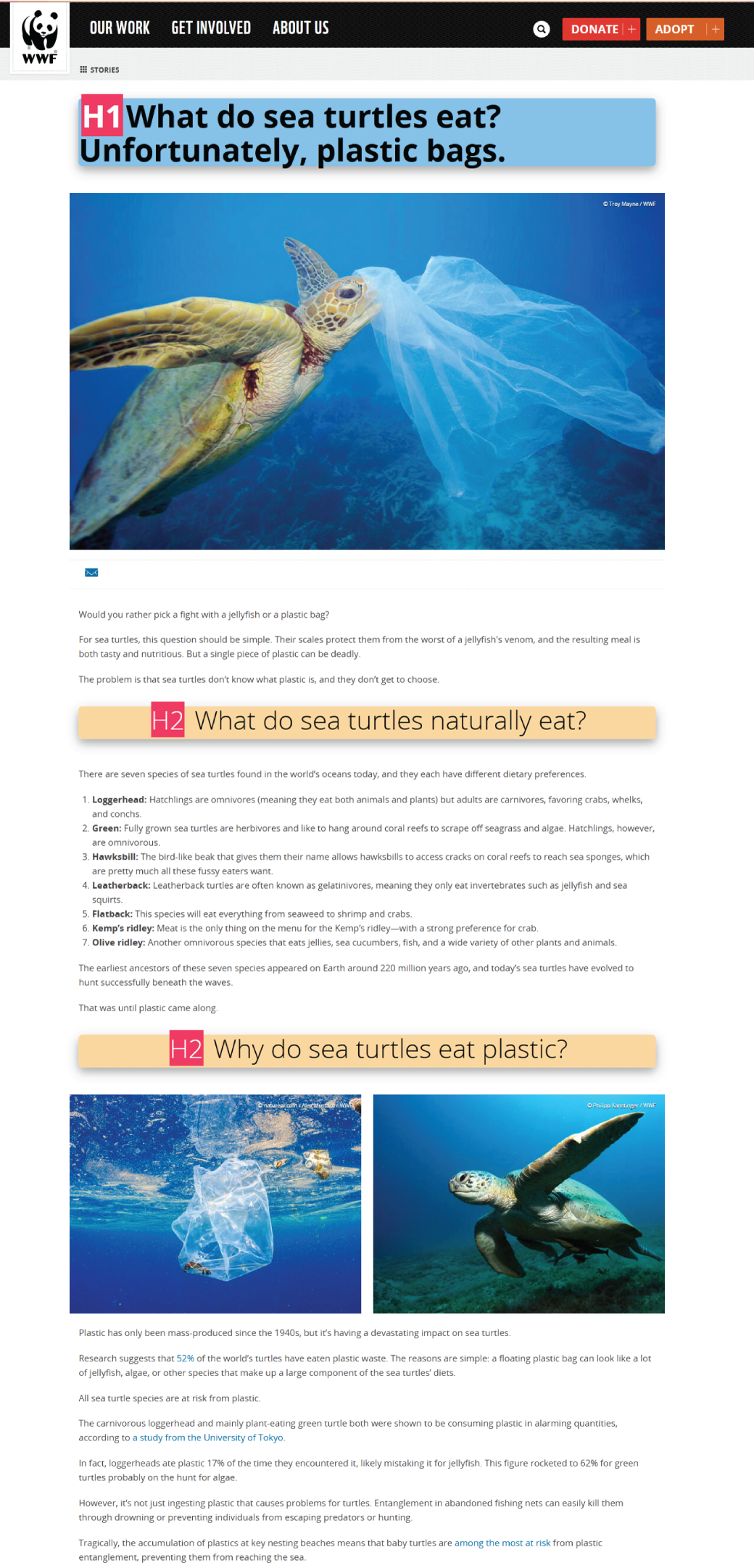
In the sea turtle example, the World Wildlife website was first in the results for the topic of sea turtles and what they eat. Yet this page has numerous outgoing links to highly relevant research, studies, and news articles on the same topic.
Leave a Reply