
The most important aspect of having a Facebook page isn’t compelling About information or the perfect timeline cover photo. Instead, it’s the community of people who will become your biggest advocates. If you’re like most brands, you want to have as many people interacting on your wall as possible.
Before you begin inviting folks to join your community, keep in mind a couple of things:
- You can invite only people you’re friends with. (We discuss how to attract people who aren’t your friends in the section “Getting likes from others,” later in this chapter.)
- Facebook frowns upon blatant attempts to get likes on specific posts and takes measures to make sure you’re not like-baiting by having people like your page in exchange for a perk.
Inviting friends to like your page
When choosing friends to invite to like your page and participate, take care to choose those who will really appreciate being part of that community. When you randomly and regularly invite people who don’t care to be a part of the brand, they might get annoyed at having their Facebook experience interrupted with brand messages, and this can cost you a Facebook friendship.
To invite friends to like your Facebook page, follow these steps:
- Navigate to the Invite Friends to Like Your Page box on the left side of your news feed.Alternatively, you can click the icon in the menu bar that looks like three dots and select Invite Friends from the drop-down menu.
- Click the See All Friends button at the bottom of the Invite Friends to Like Your Page box.A list of all your friends appears.
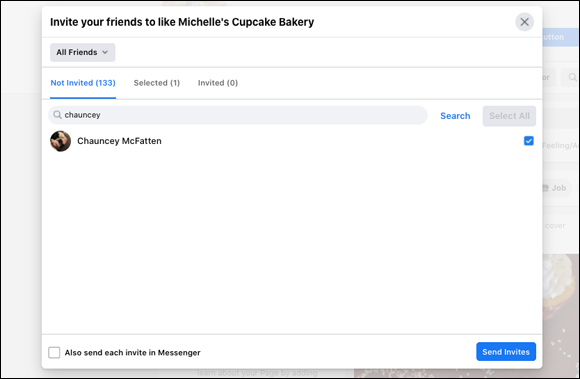
- Click the check box next to each friend’s name (see Figure 1-7 ).
- Click the blue Send Invites button on the bottom of the box.Your friends receive an invitation to like your brand’s page. Not all will accept your invitation, so please don’t take it personally. Some people simply don’t want to follow brands on Facebook.
Getting likes from others
In addition to inviting friends to like your brand on Facebook, you can also try some of these methods for raising brand awareness and getting likes:
- Use your brand’s Twitter, Instagram, and Pinterest accounts to bring in new community members. Without spamming, invite people to join your Facebook page from time to time. If space permits, also share the benefits of becoming a member of your Facebook community.
- Invite your community to share. Although Facebook frowns upon contests and events in which people have to like a page to participate, nothing is wrong with inviting your community to share content they like.
- Create the type of content your community will share. Have you ever logged in to your personal Facebook account to find that your friends are sharing a funny video, a provocative image, or an informative article? This is the type of content people enjoy sharing on their walls. A Facebook page that is nothing but brand updates is not compelling. Instead, share informative or fun items with your community, and they will not only share in return but may also inspire others to like your brand.
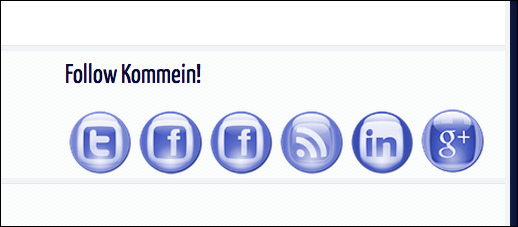
- Place share buttons on your blog and website. If you want people to share your content, you have to give them a way to share. Having a Facebook share button, like those shown in Figure 1-8, on your blog or website will encourage readers to like your page. You can also place individual share buttons on the bottom of each post so that people can share your content.
- Be consistent. If you post engaging or compelling content every day, folks are more likely to like your brand. If you’re sporadic and haphazard with your content, you won’t receive many likes in return.
- Place share information in offline content. If you have offline content — for example, if yours is a supermarket brand with a weekly flyer or a retail shop with posters on the windows — be sure to let shoppers know how they can follow your brand on the social networks. If you’re a restaurant, add the URL for your social networking channels on the back of your menus or have postcards handy for customers.
 Unlike the popular movie tagline, if you build it, they won’t necessarily come. You have to give everyone a reason to want to show up each day. Everyone has a favorite brand of detergent or applesauce, but few people love these brands so much that they want to receive updates from them every day. It’s not enough to have a presence; give everyone a reason to like you.
Leave a Reply