
Keyword research tools are prevalent online, and there are many choices. You can start as simple as talking to customers or subscribing to keyword research tools and SEO management software. Most SEO tools and software offer free trials but require a subscription to access multiple languages and full features.
Customer Research First, interview your customers and talk to your salespeople. What problems did you solve? How do customers explain or describe your product, service, or solution? Look through emails, correspondence, call logs, and your interactions with the public to find the words they use.
Seed List Starting with these words enables you to develop a seed list. These are the dozen or so words that you start with that describe your business. Now if you have a large ecommerce website, you have most of this ready to go with product names and descriptions. You’ll take this list and use it to start your keywords research in multiple tools.
Keyword Research Tools There are multiple places online to get a sense of how people search and the words they use. AnswerthePublic.com (see Figure 4.3) is a great place to start. By adding a keyword, you’ll find how people search and the questions they ask.
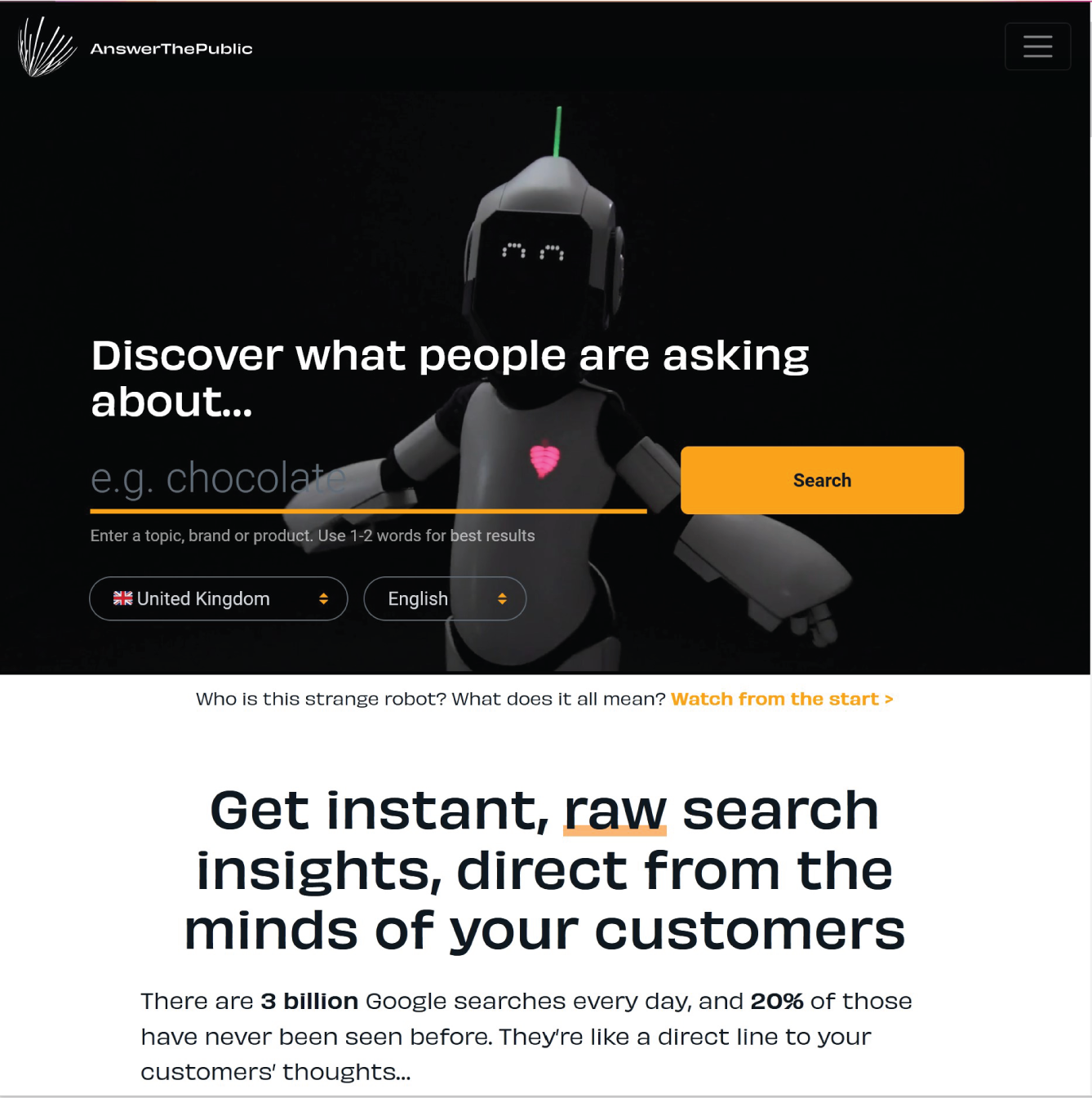
Answer the public is a great resource because it focuses on keywords within the context of questions. This is important because of the growth in voice search. People are using Siri, Alexa, and other voice‐activated assistance to search for information audibly. When people use these technologies, they are asking questions rather than using a few choice keywords, as they would if typing into the search bar. As a result, the questions are more specific, contain ideal keywords, and provide greater context and insight into the motivation of the searcher.
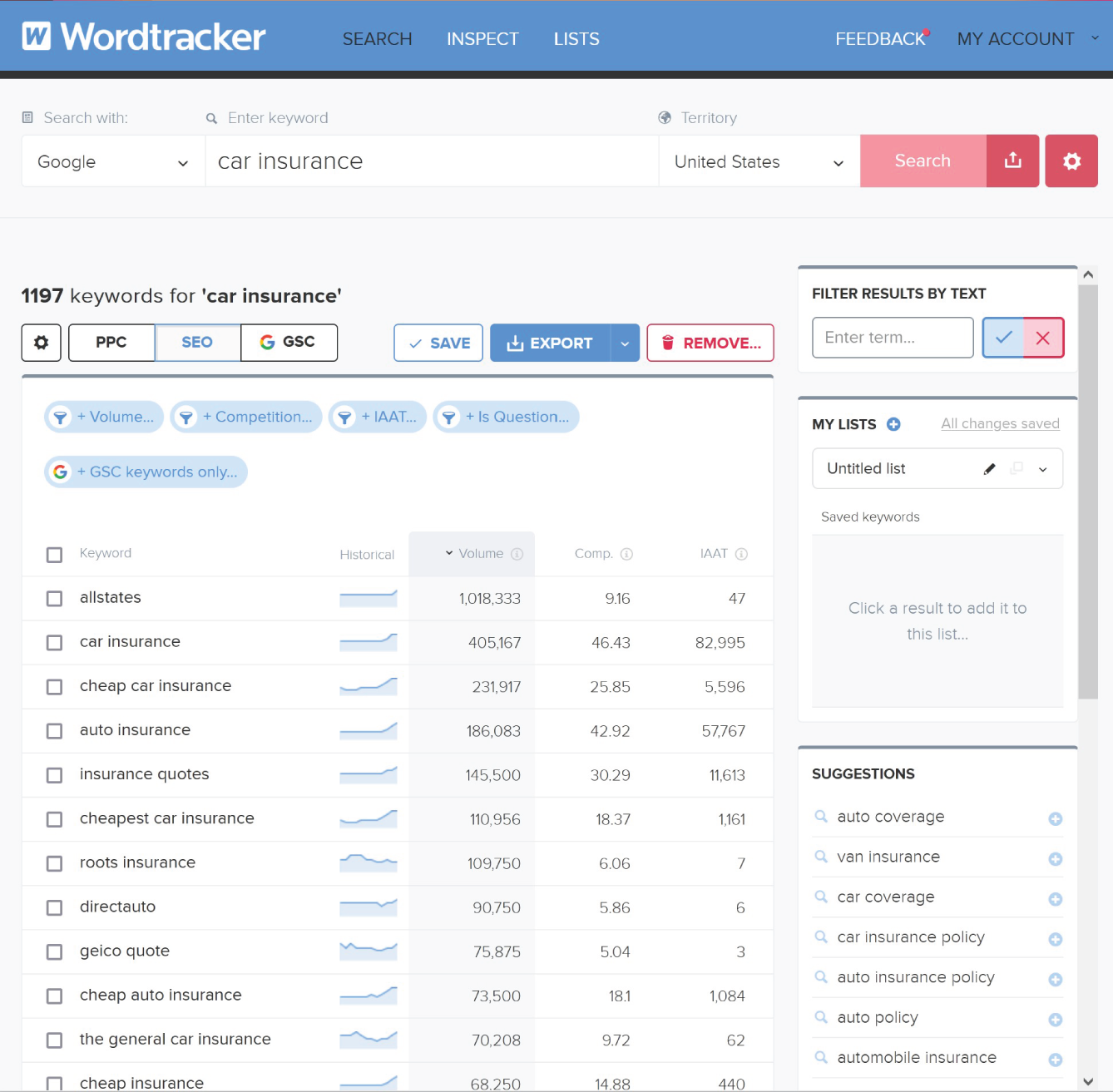
There are also dedicated keyword research tools such as Wordtracker.com (see Figure 4.4). When searching for keywords in Wordtracker, you’ll see related keywords listed in order of volume, or popularity. This is the estimated amount that the word has been searched on in the past 12 months. You can also see a trend chart that shows the change in demand throughout the year.
These tools also provide calculations on the difficulty rating to rank for these words and the competition level. They allow you to research entire industries, create keyword projects, and explore your niche. Keywords are not just limited to Google. You can explore the keywords used at YouTube, Amazon, and eBay.
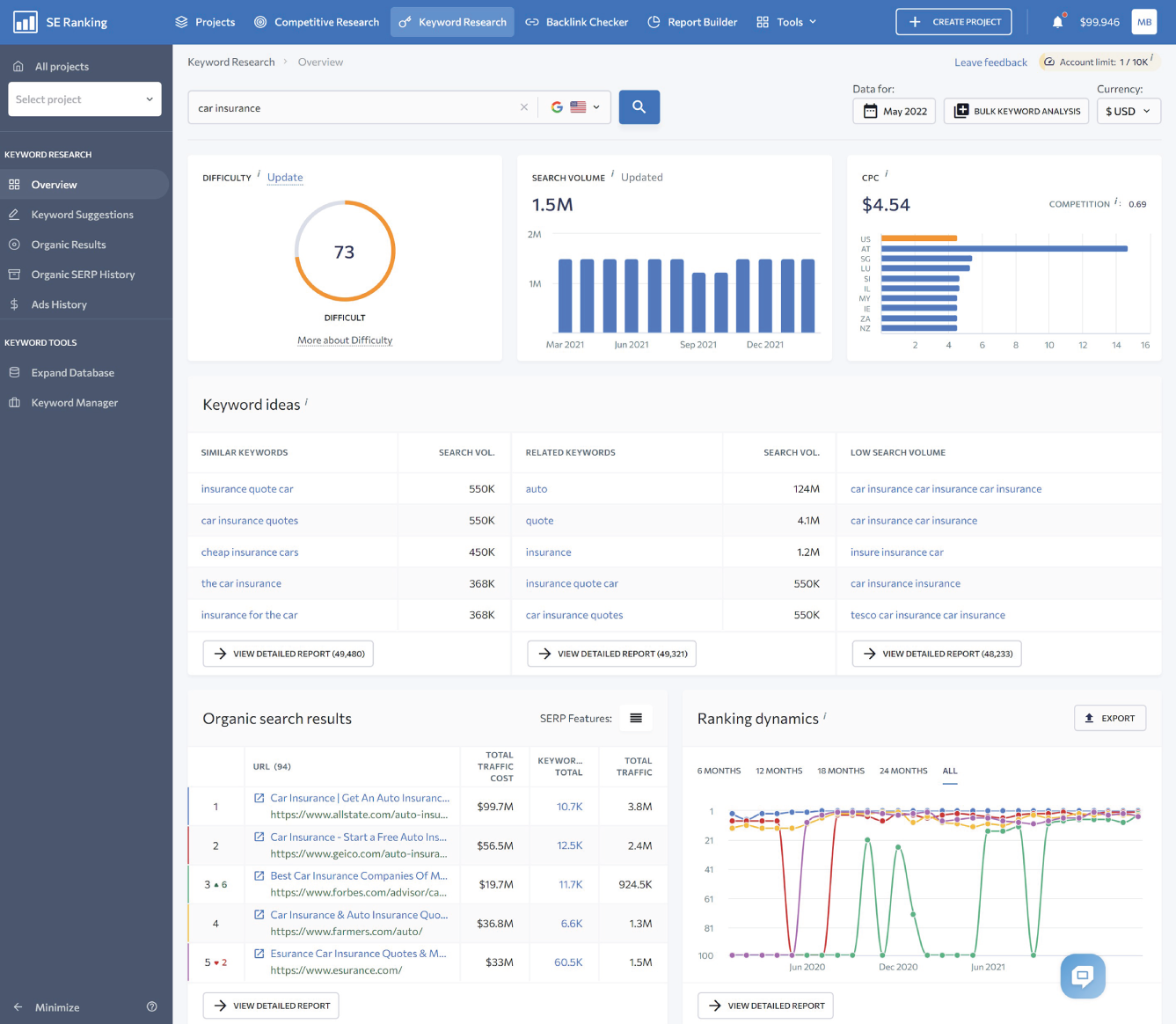
SEO Software Another source of keyword data is from a full‐suite SEO Software tool. SERanking, Ahrefs, SEMRush, Moz, Majestic, and Serpstat are the main tools used by the SEO industry.
In the example from SERanking in Figure 4.5, I am researching the keyword “car insurance” and can gain a significant amount of information. I can immediately see the difficulty score, estimated search volume, cost‐per‐click (CPC), related keywords, websites that are ranking for that term, and the volatility of the top 10 rankings.
SEO software provides in‐depth keyword research tools and position tracking in the search engines. They will track your performance and that of your competitors. Some will also provide in‐depth competitive analysis that will report the keywords used by your competitors in SEO and paid search.
Caution
At this point, it is important to take a moment and explain a few important factors to know when researching, analyzing, and reporting keyword counts and ranking reports.
- The keyword counts from any tool are just estimates based on limited data. Regardless of where you get your keyword research data, all search volumes are estimated—Google does not share much data. The data that are shared are merged with other limited data sources and extrapolated through an algorithm. You are not seeing real traffic numbers!
- Rankings reports are not reliable. The rankings reported in any of these tools are based on an application programming interface (API) into the search engine. This means that the ranking reports are from a database set up specifically for ranking queries. What you see could be very different, as rankings are influenced by the location of the searcher and their search history. Two searchers in the same place could see variations in the ranking results. The results that are reported are a generic result and should mainly be used as an indicator of influence on the results.
Google Trends This research tool (see Figure 4.6) provided by Google is an insight into Google search data, without revealing actual keyword counts. All comparisons are relative and provided on an index of 0–100, which bears no relation to the actual keyword demand—just the relationship among the keywords you are exploring.
While estimated search counts can be greatly out of proportion in SEO tools, I use Google Trends to compare keywords and get a comparison from the search giant itself.
For example, in comparing my “teen driver insurance” to “classic car insurance,” I can see the difference in demand specifically in Google.
“Classic car insurance” is searched for three times as much as “teen driver insurance.” However, you can also see that I added “vintage car insurance,” which came up in the research as well, to compare “classic” to “vintage.” This helps me understand and verify the word choices and explore other descriptive adjectives to use in my marketing content. Just because the word “vintage” isn’t as popular doesn’t mean I should exclude it from my use in optimization. It should be integrated to provide additional contextual content that is relevant to a potential customer.
Interestingly, Google Trends also provides a map to show where the highest percentages of searches are done, compared to the population of a state, country, or region. In this example, the darker states are those that have higher concentrations of searches as a representation of the population. This can be used when targeting geographically based audiences in paid campaigns.
Leave a Reply